
LSA Tracker in the dashboard
LSA Tracker follows your Google Local Services Ads, the pay-per-lead ads at the top of Google search for local services. It shows the leads they brought in, what they cost, where the money went by city, and the documents Google has on file for your business.
Pick the last 30 or 90 days at the top right. Every number is compared with the same length of time just before it.
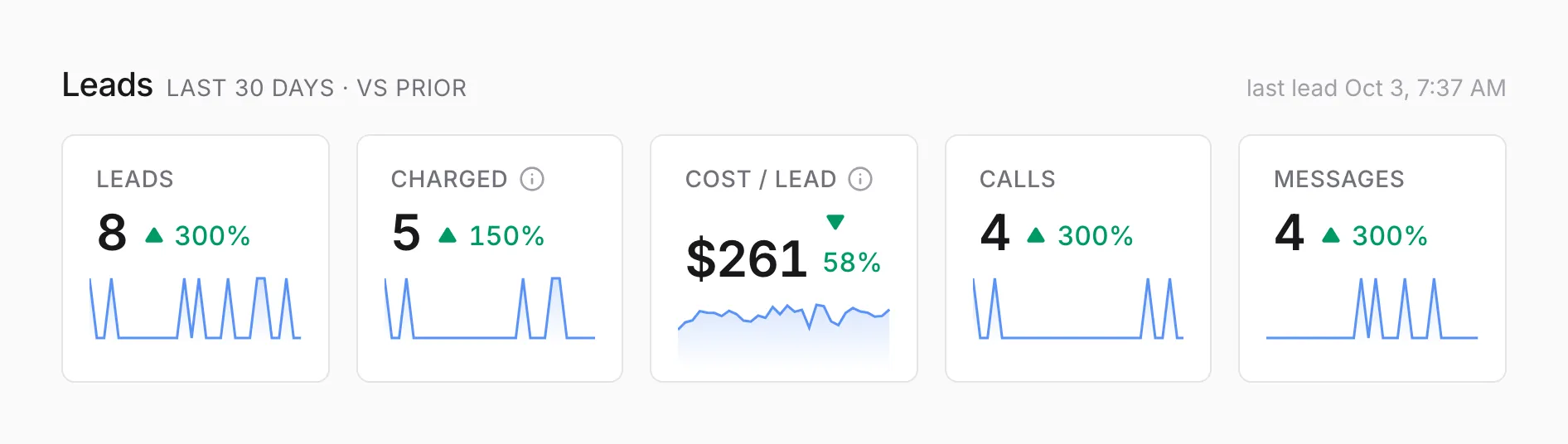
| Tile | Counts |
|---|---|
| Leads | Every Local Services Ads lead: calls, messages, and bookings |
| Charged | Leads Google charged you for. Hover over its ⓘ for the share of all leads |
| Cost / lead | Your Local Services Ads spend divided by charged leads. The small line is daily spend |
| Calls | Phone leads |
| Messages | Message leads |
Bookings count in Leads but don’t have a tile of their own, so Calls and Messages can add up to less than Leads. For Cost / lead, a drop shows in green, because lower is better.
Spend by city
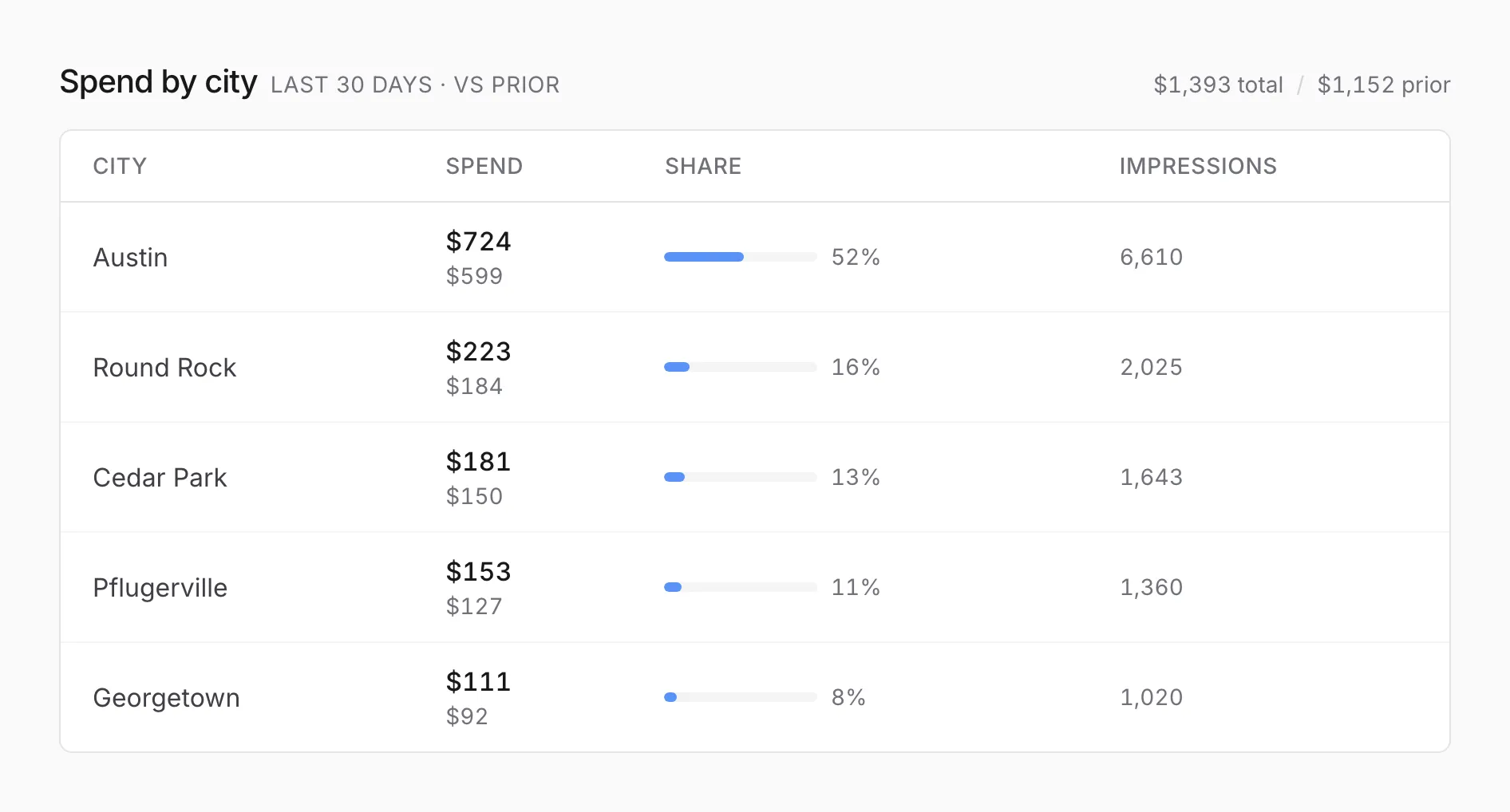
Section titled “Spend by city”Where your ad spend went, by the city the searcher was in or searching about, with the earlier period’s spend under each amount. It shows the top 5 cities, and the button at the bottom opens the rest.
Recent leads
Section titled “Recent leads”Your latest leads, up to 50, with the service each one asked about, how long a call lasted (or “Message”), a link to Google’s recording when there is one, and whether Google charged for it.
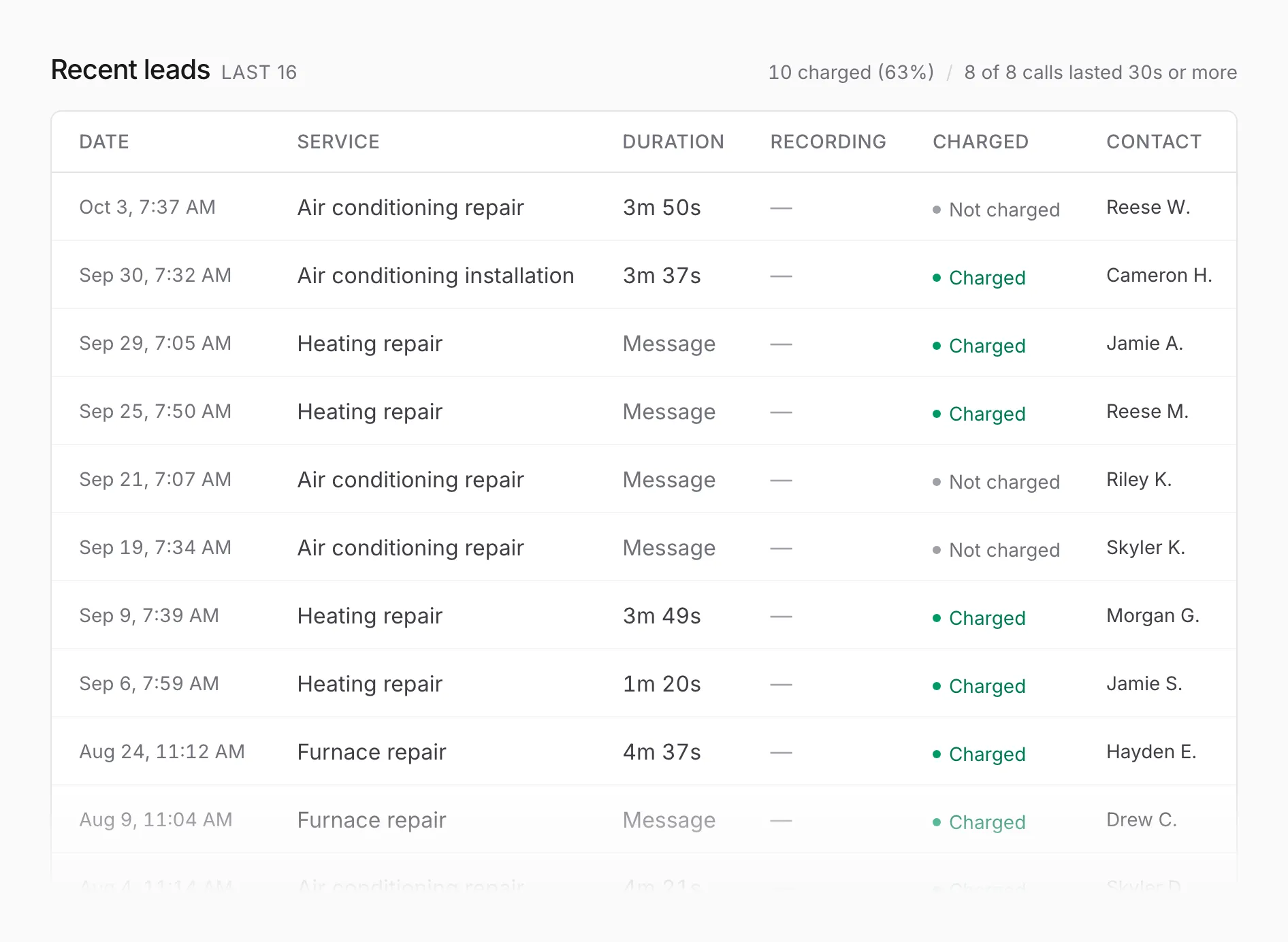
The line at the top right counts the charged leads and how many calls lasted 30 seconds or more, a quick read on whether the leads were real conversations.
A lead’s charged status can change after it arrives, for example when Google credits a lead back to you. The dashboard picks that up the next morning.
Verification
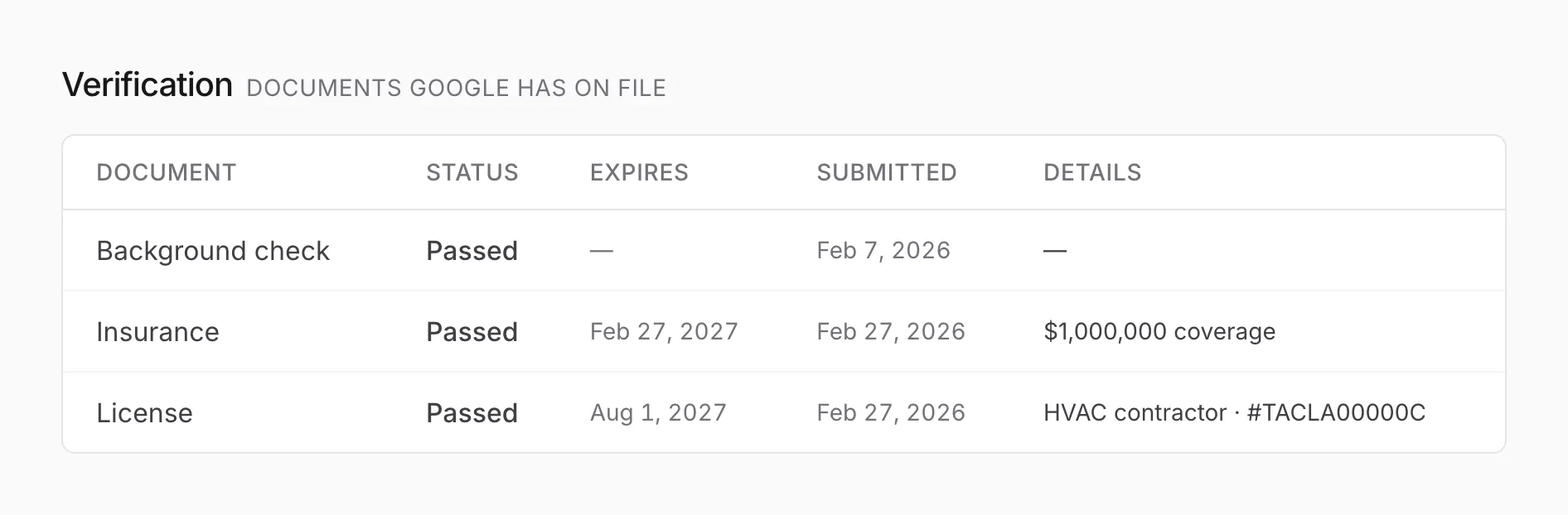
Section titled “Verification”The documents Google holds for your Local Services Ads listing, such as your license, insurance, and background check, with their status and expiration dates. A warning appears at the top right when a document is close to expiring or needs attention, so it can be renewed in time.
When it updates
Section titled “When it updates”Leads, spend by city, and verification update each morning Central time. Cost / lead asks Google for your current spend each time you open the page.
Why this can differ from Google’s dashboard
Section titled “Why this can differ from Google’s dashboard”Google’s Local Services Ads dashboard uses calendar dates, while this section counts back from today, so the edges of a period can differ by a day. Leads arrive once a day here, so a lead from this morning may show in Google’s dashboard first.