
How to run ChatGPT searches from a clean account
A clean account shows you roughly what a stranger would see when they ask ChatGPT about a business, without your own chats, saved memories, or settings shaping the answer. We run all of our ChatGPT research from one, and this is how it’s set up.
Why it matters
Section titled “Why it matters”ChatGPT can personalize answers from what it remembers about you. With memory on, it can fold saved details into the web searches it runs for you. In OpenAI’s own example, a user who said they’re vegan and live in San Francisco asks about nearby restaurants, and ChatGPT searches for “good vegan restaurants San Francisco” (OpenAI Help).
So a check from your everyday account can tell you more about you than about your customers.
The settings
Section titled “The settings”Turn memory off, leave custom instructions blank, and leave everything else as it came. The screenshots are from our research account in Chrome on October 1, 2026. ChatGPT moves its settings around often, so names may have changed by the time you read this.
| Setting | Set it to | Why |
|---|---|---|
| Enable memory | Off | ChatGPT can fold what it remembers into the searches it runs |
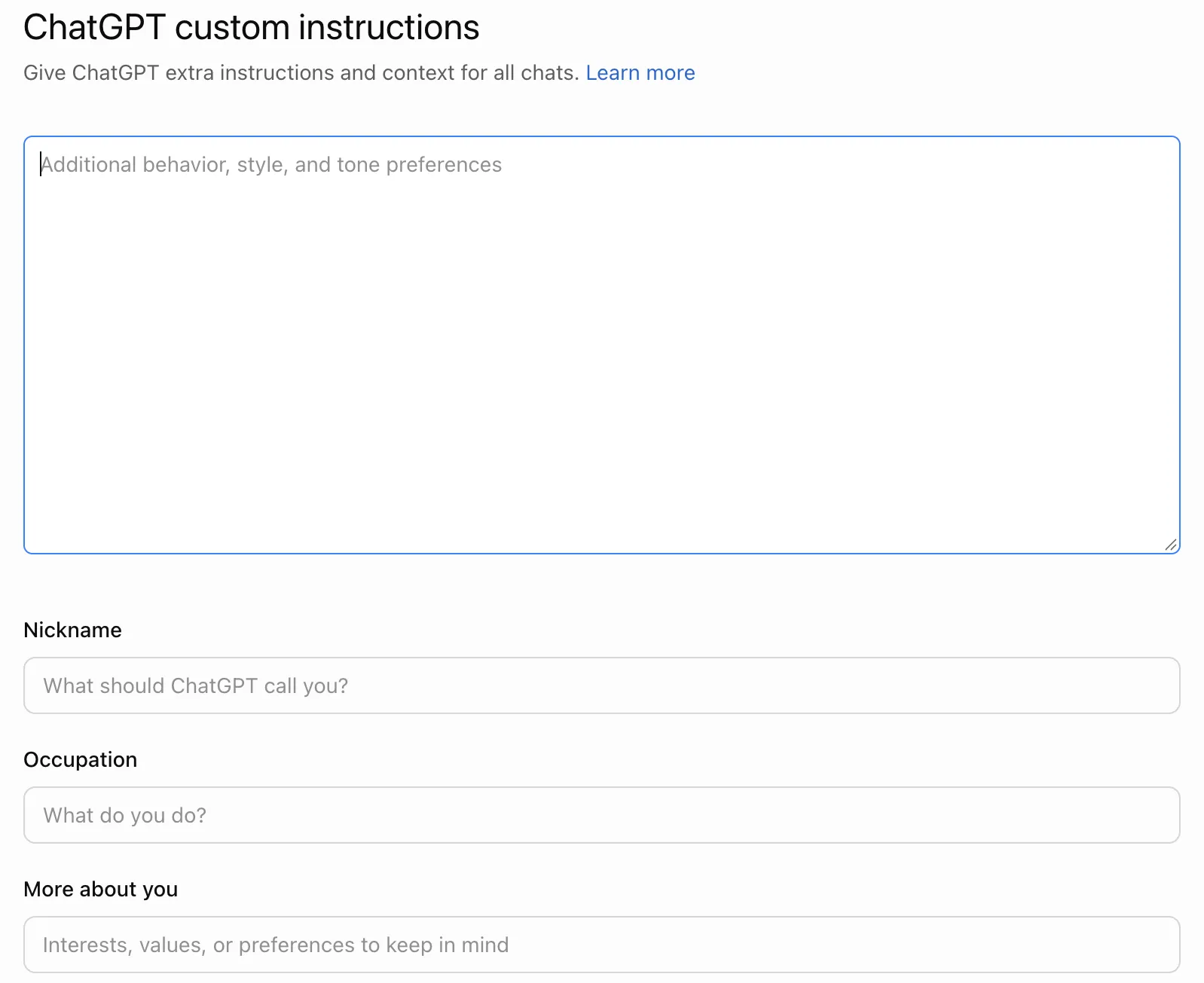
| Custom instructions | All four fields blank | They apply to every chat |
| Reference my writing style | Off | It draws on your chats and files |
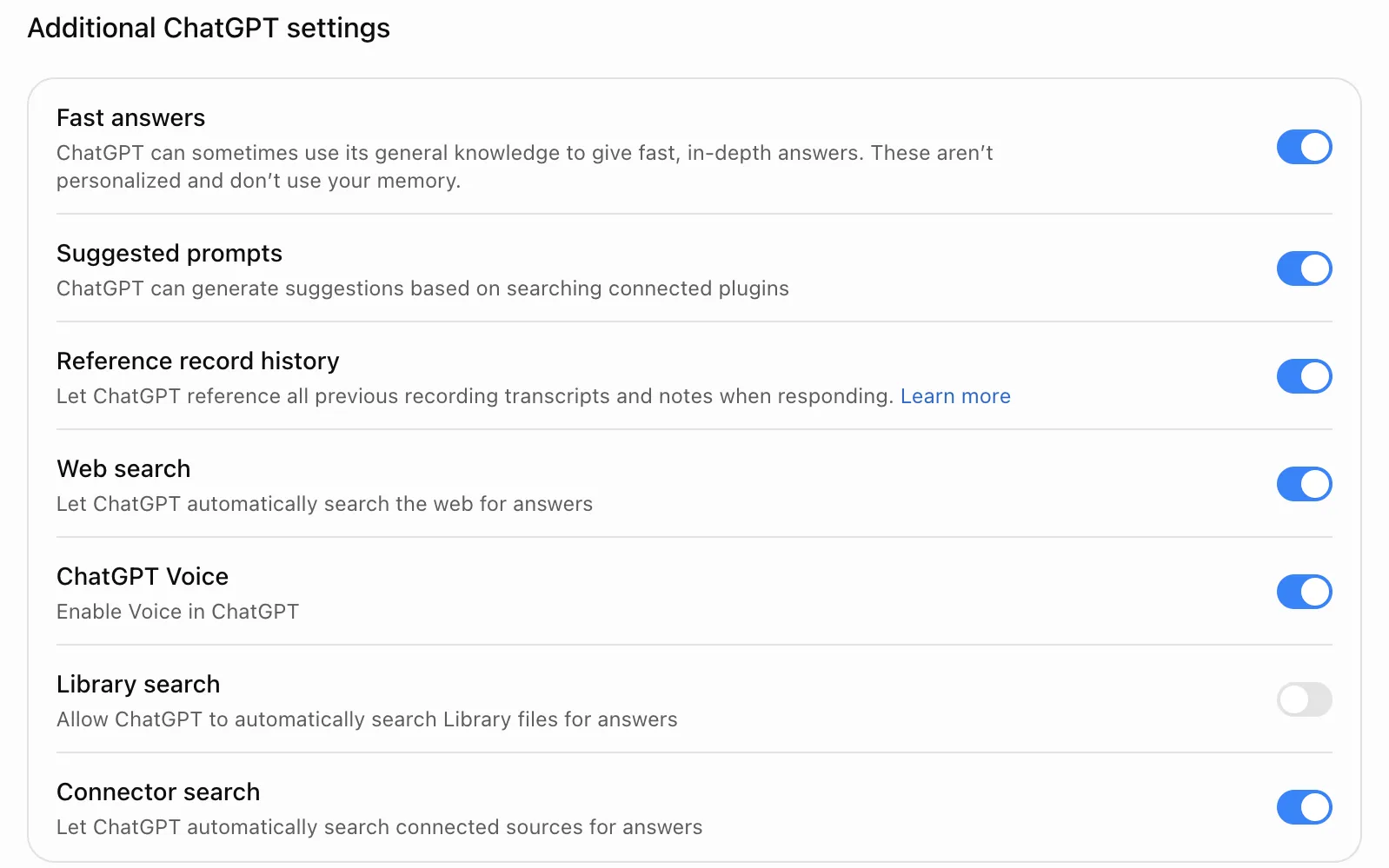
| Web search | On | ChatGPT searched the web on all 60 local questions we captured |
| The other Personalization settings | Leave as they came | We haven’t tested whether these change the answers |
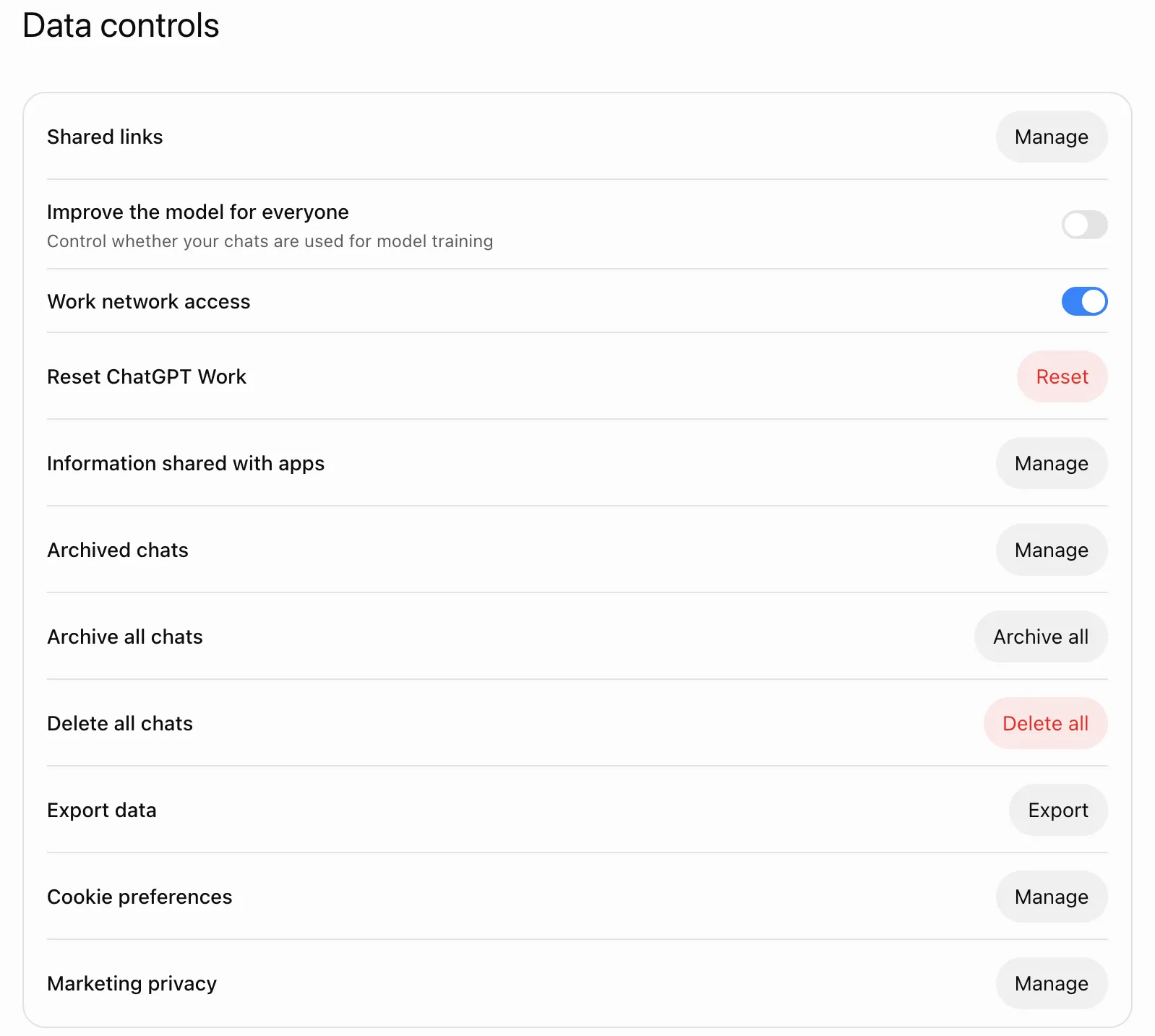
| Improve the model for everyone | Off | Keeps your test chats out of model training |
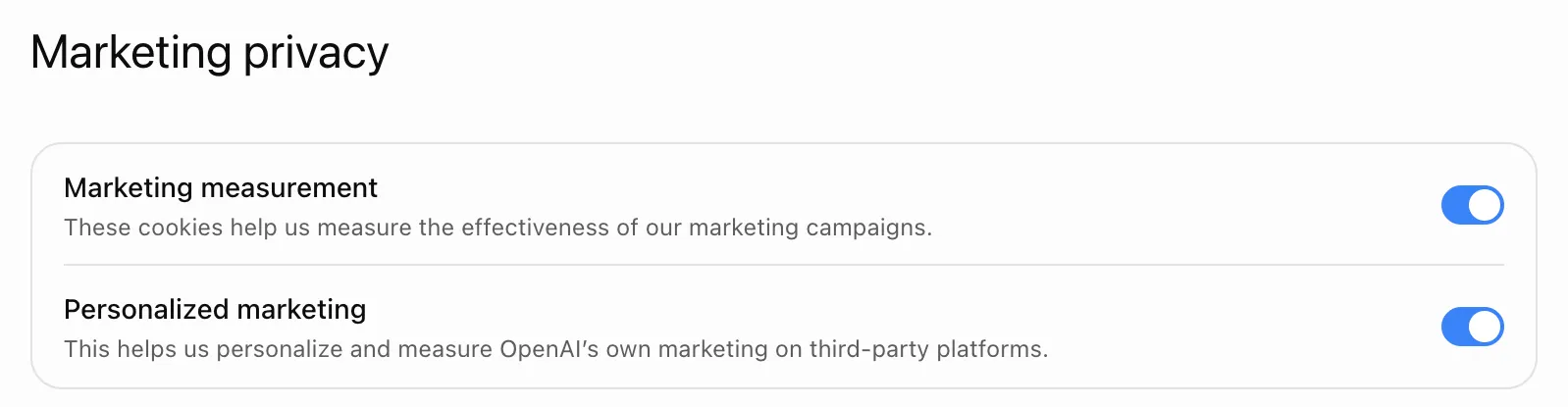
| Marketing measurement and Personalized marketing | Leave on | These cover OpenAI’s own marketing on other sites, not ChatGPT’s answers |
| Ads personalization (Free and Go plans only) | Leave on | Ads then match what a typical free user sees |
| Plan | Free, with ads | Free and Go show ads, and Plus and Pro never do (OpenAI Help) |
On a Free account, don’t switch to the ads-free option. It lowers the message limit and hides the ads real users see.
Memory and custom instructions
Section titled “Memory and custom instructions”Open chatgpt.com/settings/personalization. Enable memory and Reference my writing style should both be off.
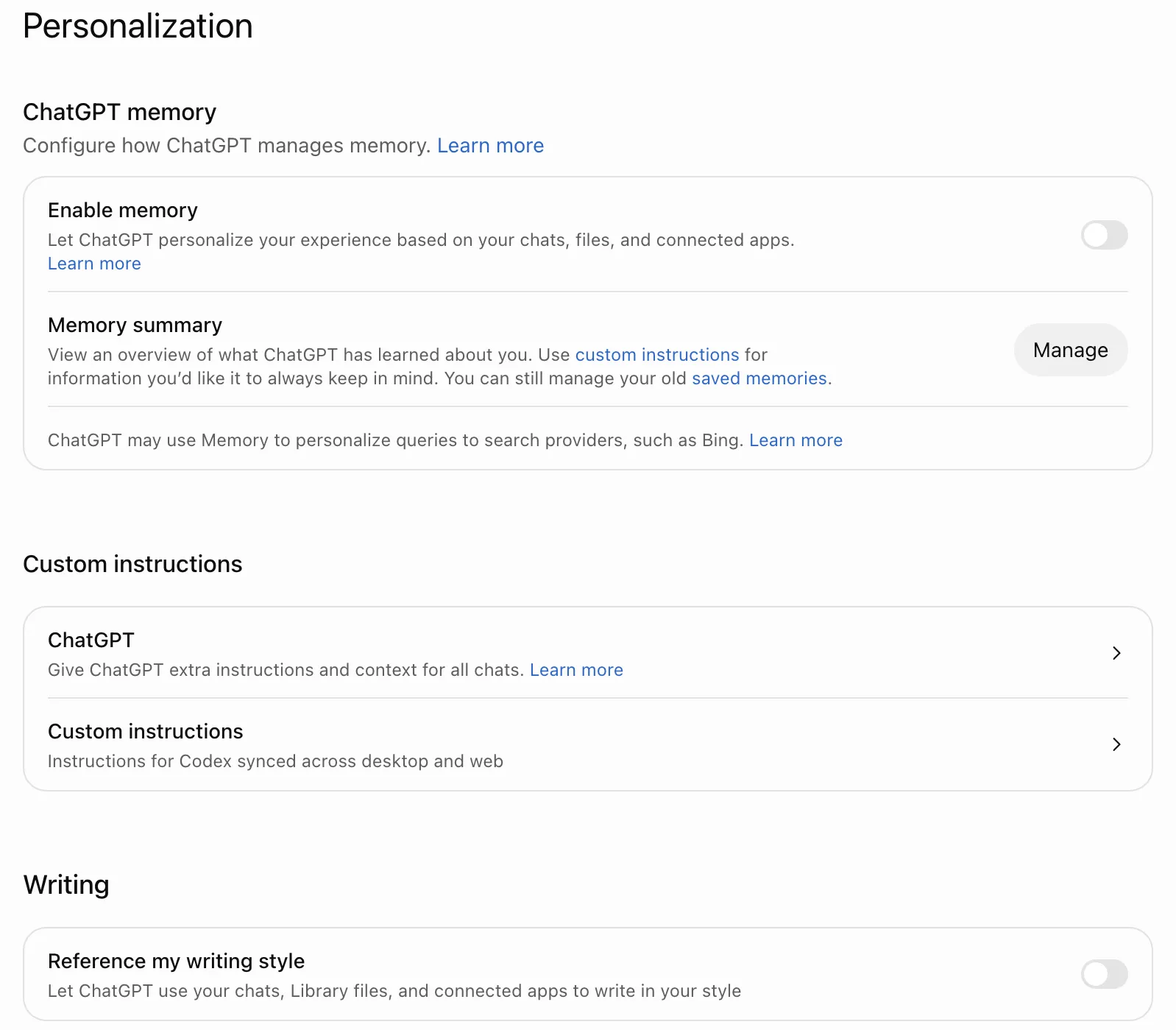
Click ChatGPT under Custom instructions. All four fields should be empty. Press Cancel to leave without saving anything.
Additional settings
Section titled “Additional settings”Scroll to the bottom of the Personalization page. Web search should be on. We left the rest as they came.
Data controls
Section titled “Data controls”Open chatgpt.com/settings/data-controls. Improve the model for everyone should be off. Marketing privacy is the last row on the page.
Running a search
Section titled “Running a search”Start a new chat for every question and name the city in it, such as “best plumber in Austin, TX”. A follow-up in the same chat carries the earlier turns with it, so it isn’t a clean read.
Use a normal chat on the clean account. Temporary chats never show ads (OpenAI Help), and ads now appear in some local answers on the Free plan, which we covered in the anatomy of a ChatGPT local answer.
On the Free plan, keep a sitting to about 20 questions. Past that, our runs got answers from a smaller model.
Ask a question more than once before reading much into it. The same question can name different businesses from one run to the next.
Checking from your own account
Section titled “Checking from your own account”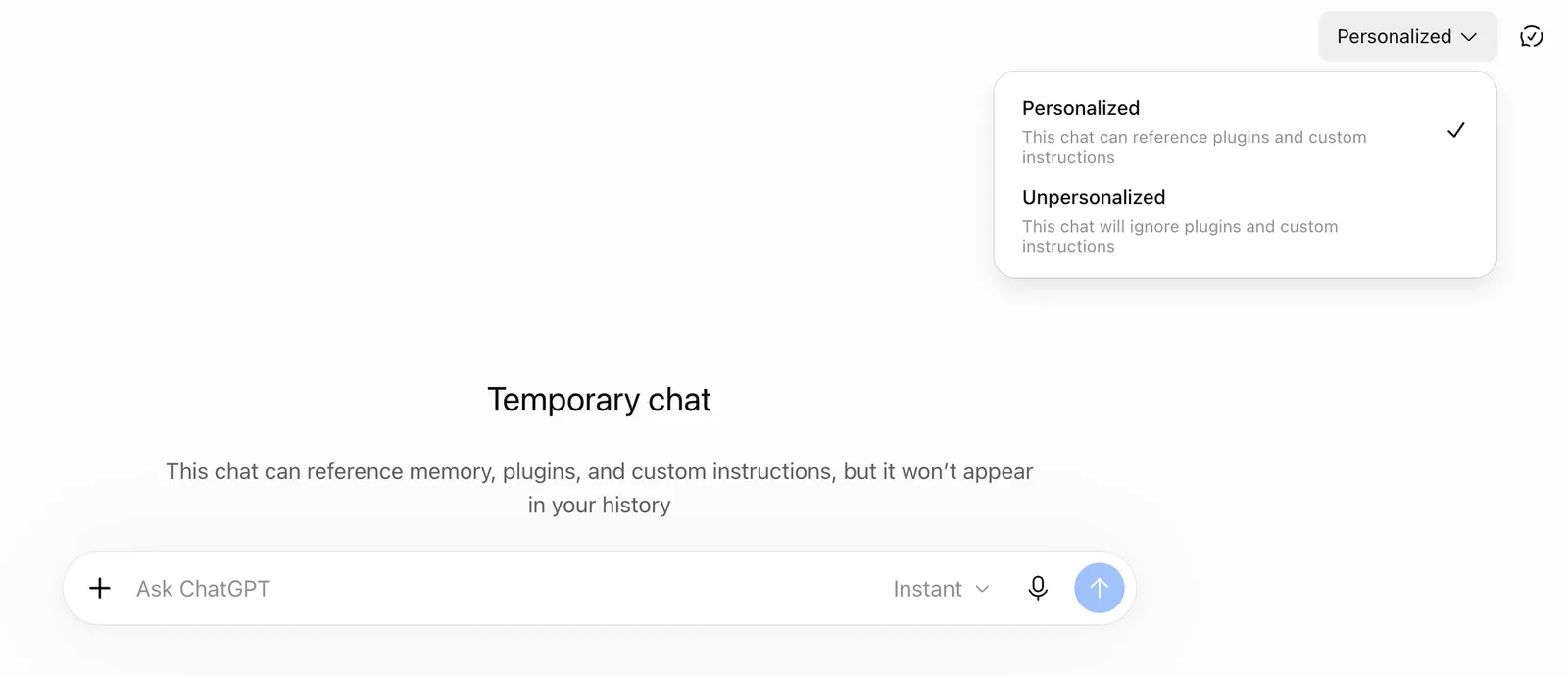
Location
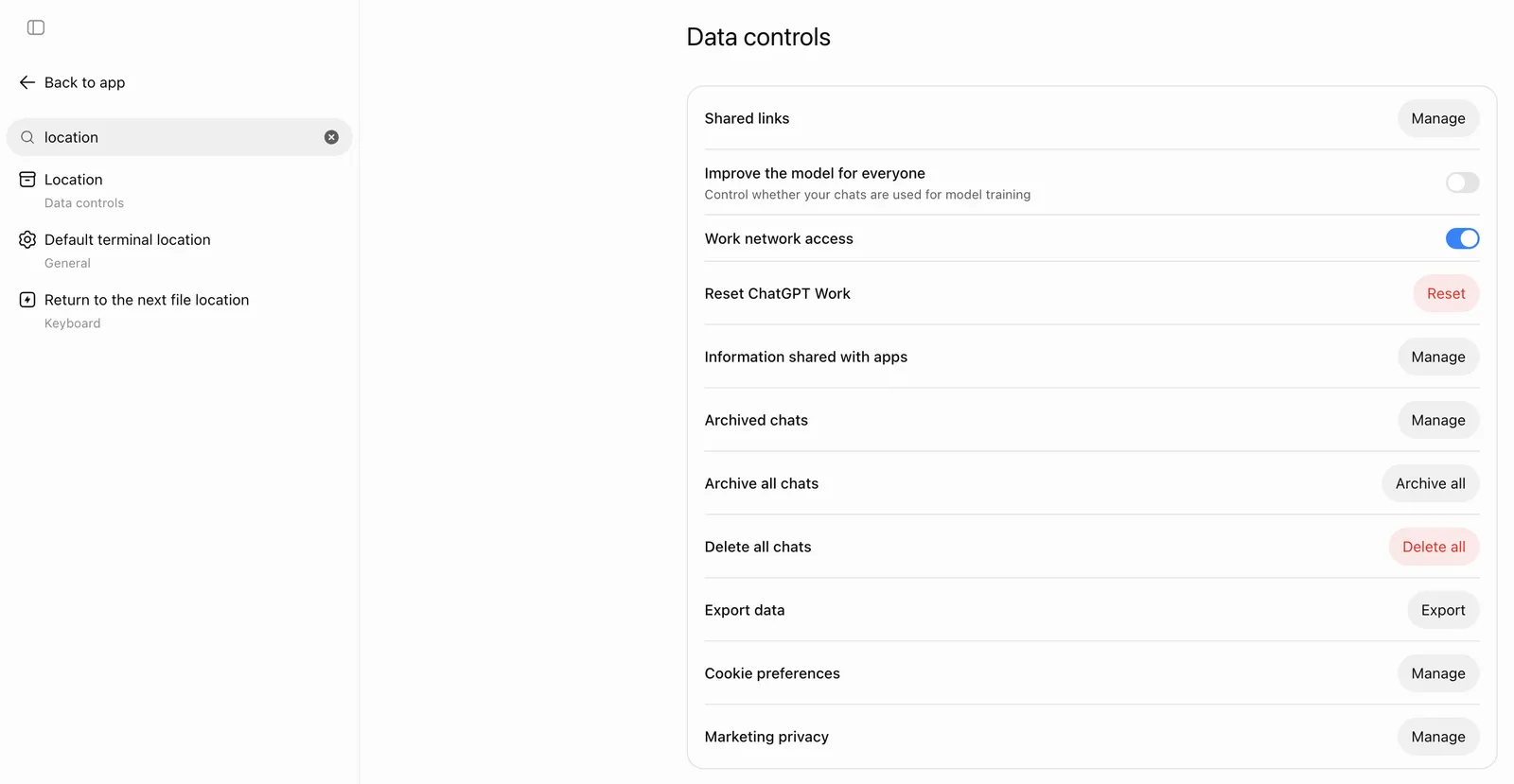
Section titled “Location”In ChatGPT on the web, our account has no location setting to change, so ChatGPT works from an approximate location based on your IP address. Name the city and state in the question when you check a market.
OpenAI says device location sharing is optional, off by default, and managed under Settings, Data controls, Location (OpenAI Help). On our account in desktop Chrome, searching settings for “location” lists Location under Data controls, but the Data controls page has no Location row. OpenAI says the iOS and Android apps can share approximate or precise device location. We haven’t checked the apps.
What location changes
Section titled “What location changes”It changes the answer when the question doesn’t name a place. OpenAI’s example is “What are some good restaurants near me?” from an IP address in the San Francisco area, which ChatGPT may rewrite into the search “top restaurants San Francisco”.
We saw the same thing once. “best AI SEO agency for local businesses” named no city, but ChatGPT added “Austin” to its search and showed a card of four Austin agencies, with ours first. It didn’t happen when we asked again. In another run, the answer called one agency a fit “if you’re in Texas/Austin” with no place in the question.
The Austin link is our reading, since the answer data has no field for the user’s location. When the question does name a city, ChatGPT puts that city in its business lookup. On a question about the best plumbers in Austin, the lookup read like this.
business|Austin, TX, USA|best plumbers;top rated plumbers;emergency plumbersWhat we haven’t tested
Section titled “What we haven’t tested”- Whether IP location still shifts the results when the question names the city
- Whether a VPN changes the location ChatGPT uses
- Whether sharing device location in the phone apps changes the results
- Whether the settings we left on, such as Fast answers and Connector search, change the answers
- Which ads a Free account sees with ads personalization on versus off