
Content in the dashboard
Content is where you review the articles we write for you. You can read each one, edit it, leave us a note, and approve it. It’s the one section of the dashboard where what you do changes something.
Getting an article
Section titled “Getting an article”When an article is ready, we send you an email with the subject “Your content is ready to review,” followed by its title. The link in it signs you in and opens the article. It works once, for 15 minutes, and keeps you signed in for 30 days. If it has expired, sign in at dash.completeseo.com/login and open Content from the sidebar.
Your articles
Section titled “Your articles”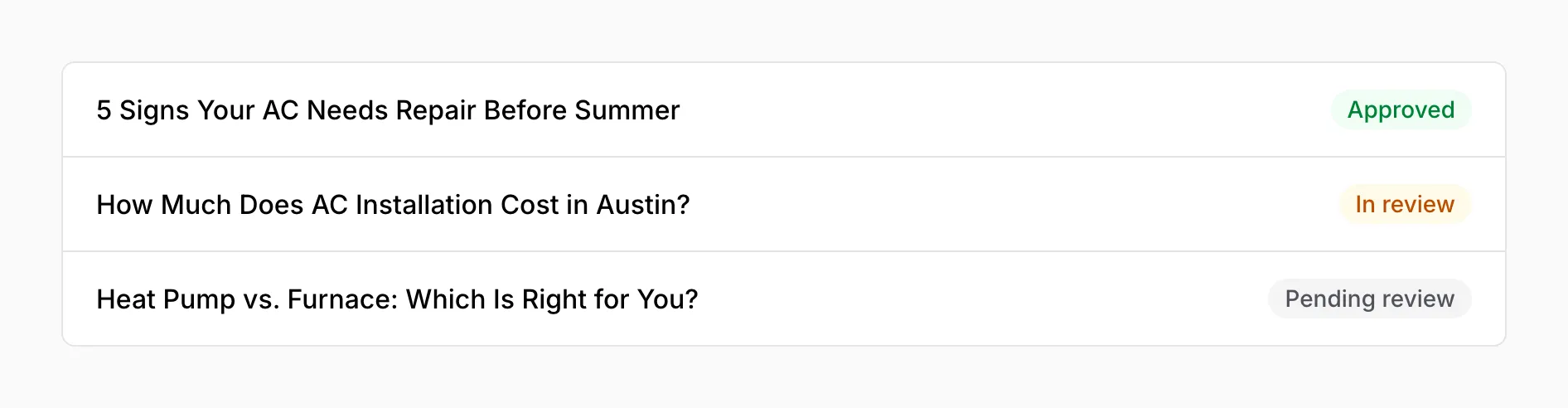
Each article has one of three statuses:
| Status | Means |
|---|---|
| Pending review | Ready for you, and you haven’t changed anything yet |
| In review | You’ve started editing it |
| Approved | You’ve approved it, and we take it from there |
While you’re in Content, the sidebar lists every article under it. A green dot marks the approved ones.
Reviewing an article
Section titled “Reviewing an article”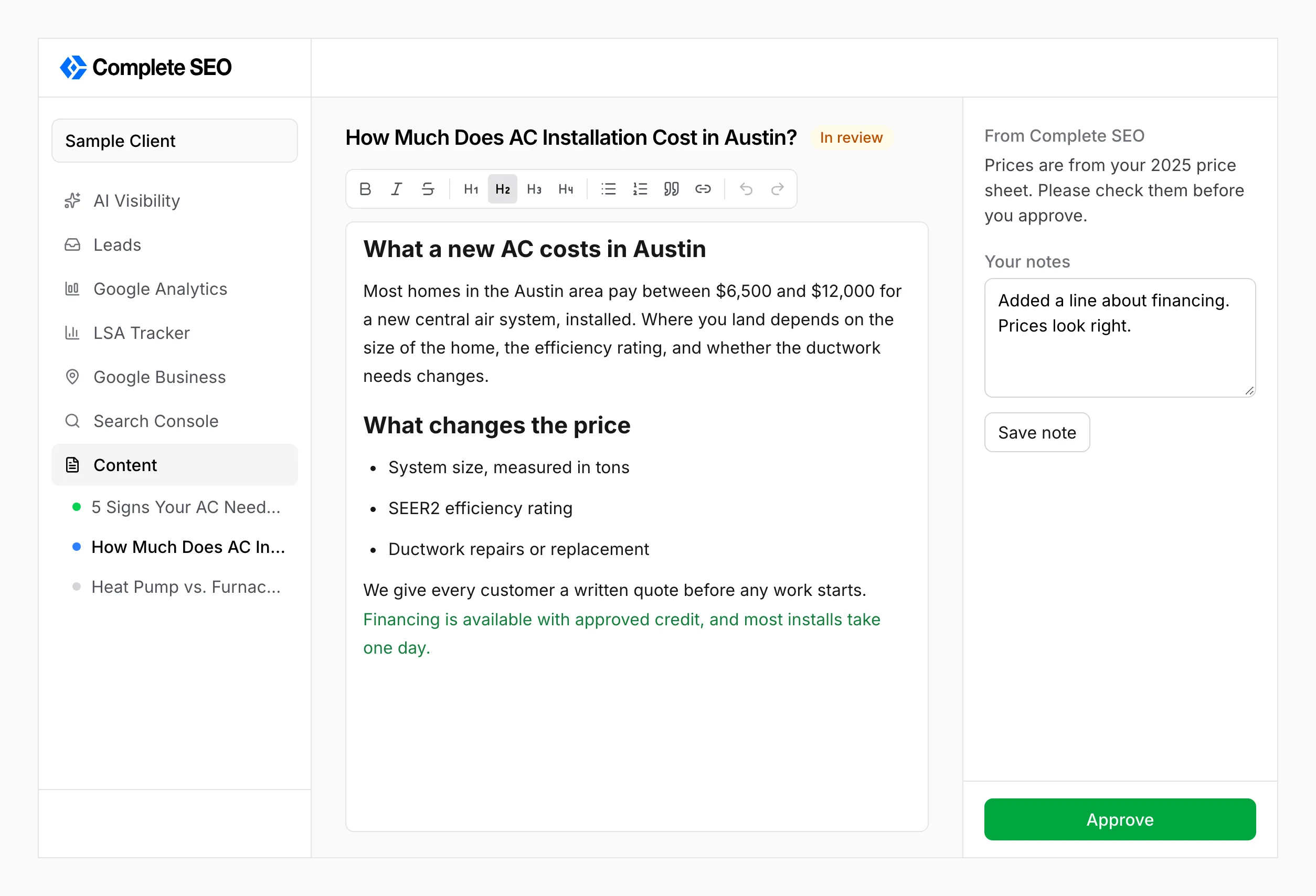
- Edit the text right in the article. The toolbar has bold, italic, headings, lists, quotes, and links. Your changes save on their own a second after you stop typing, and “Saved” appears next to the toolbar.
- What you add shows in green, so you and our team can see your changes. Text you delete simply disappears, but we still see what was removed.
- From Complete SEO is our note to you about the article, when we’ve left one.
- Your notes is for anything you want us to know, such as a question or something to check. Press Save note to keep it. We read your notes when you approve, so leave them before you press Approve.
Approving
Section titled “Approving”Press Approve when the article is ready. Its status changes to Approved with the date, and our team gets an email with the final version and your notes. There’s no confirmation step, but nothing is published yet, so you can still press Reopen to keep working on it. If you edit an approved article, it reopens on its own and we’re told.
What we handle
Section titled “What we handle”You can’t publish, delete, or rename an article from the dashboard. We handle publishing once you approve.