
Google Business in the dashboard
Google Business shows how your Google Business Profile performs: how many people find it, what they do from it, what your reviews look like, and what’s changed on it. The numbers come from Google’s own reports for your profile.
It has five tabs: Performance, Reviews, Activity, Profile, and Posted. If you have more than one location, each one is listed under Google Business in the sidebar, and you view them one at a time.
Performance
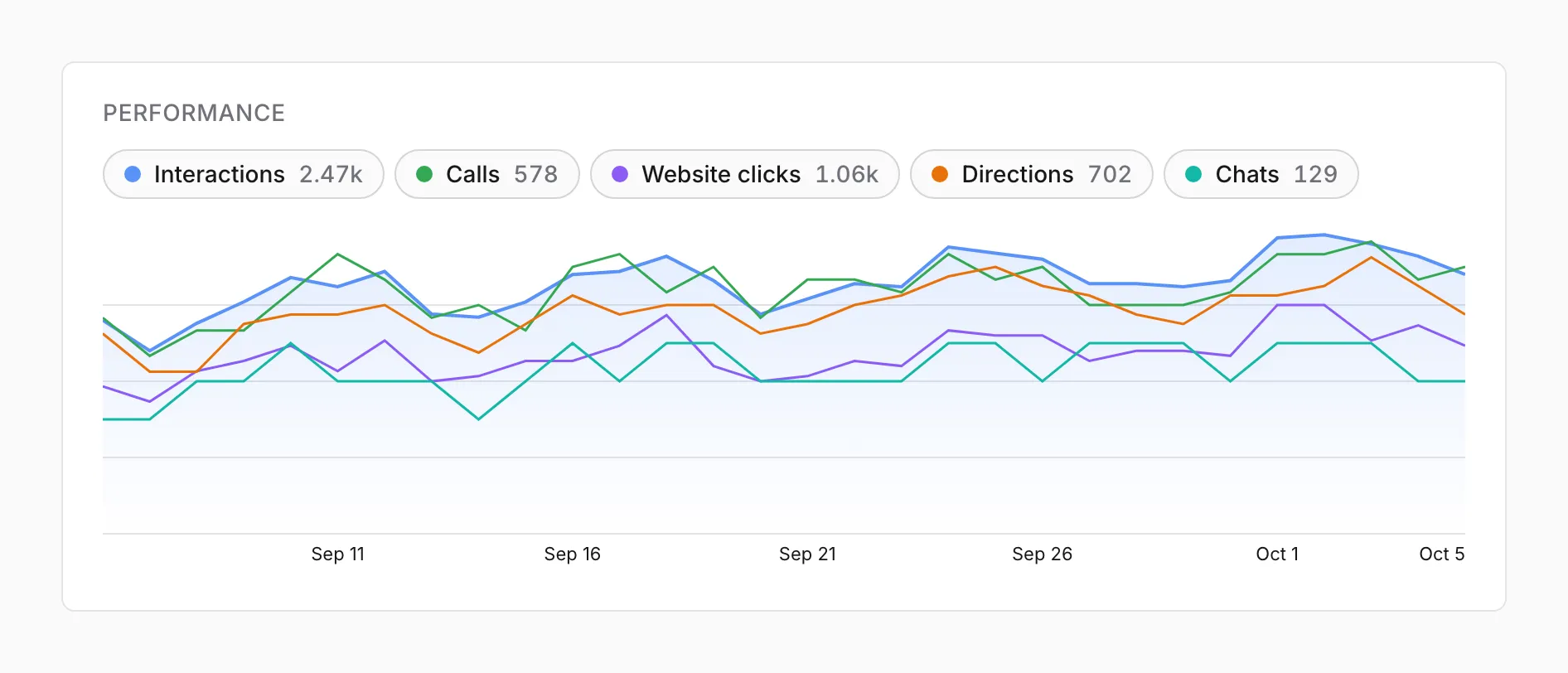
Section titled “Performance”Pick a range from 7 days to 18 months at the top. Google’s numbers run about 3 days behind, so the range ends on the latest day Google has reported, shown at the top right.
| Button | Counts |
|---|---|
| Interactions | Calls, website clicks, direction requests, bookings, and chats added together |
| Calls | Taps on the call button on your profile |
| Website clicks | Clicks through to your website |
| Directions | Requests for directions to your business |
| Bookings and Chats | Shown only when the range has any |
Each button shows its total for the range. Click one to show or hide its line. Each line has its own scale, so compare shapes, not heights.
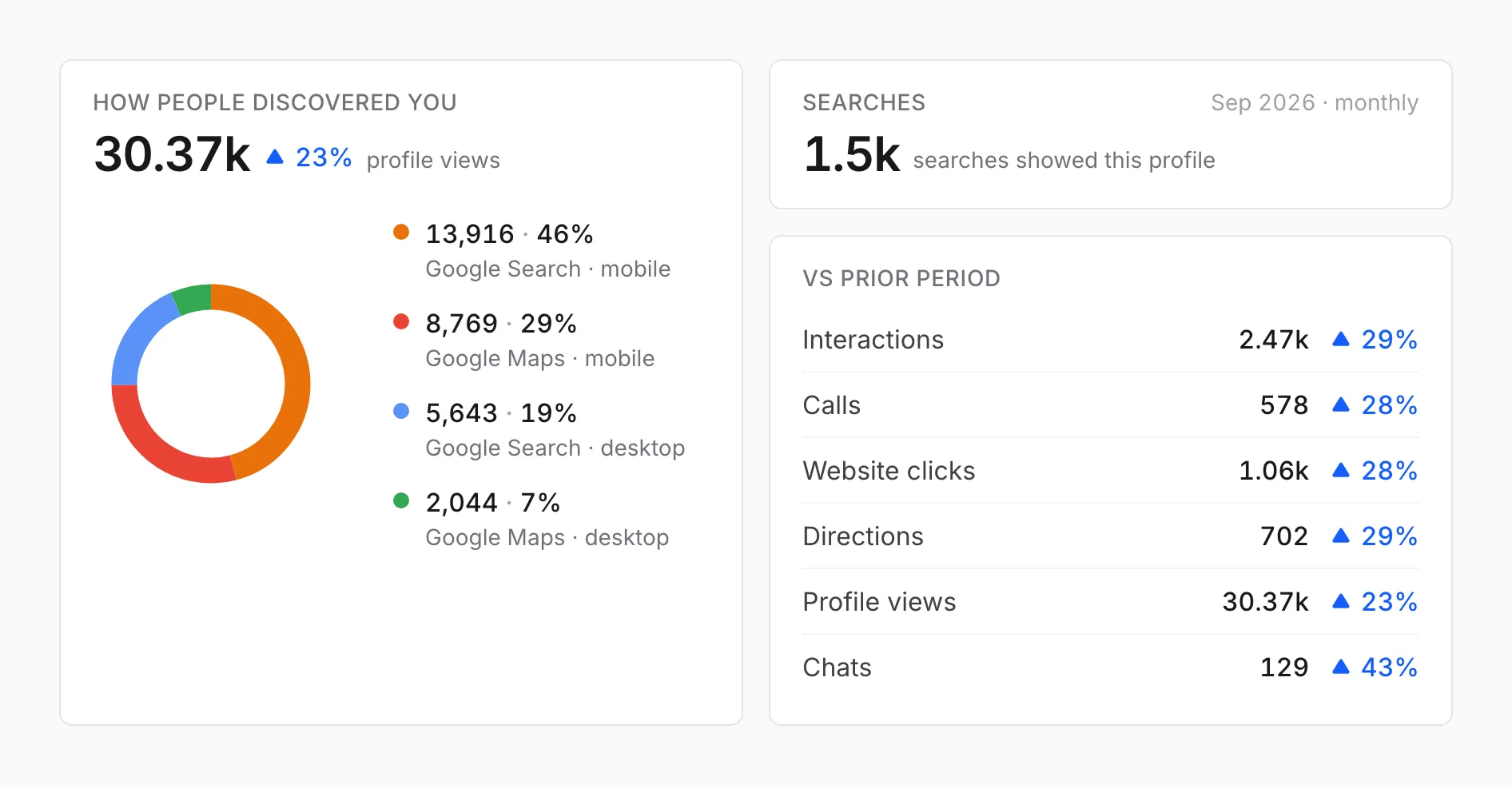
- How people discovered you counts profile views, split between Google Search and Google Maps on mobile and desktop.
- Searches counts the searches that showed your profile, by month, because Google only reports them by month.
- Vs prior period compares each number with the same length of time just before the range.
Searches breakdown
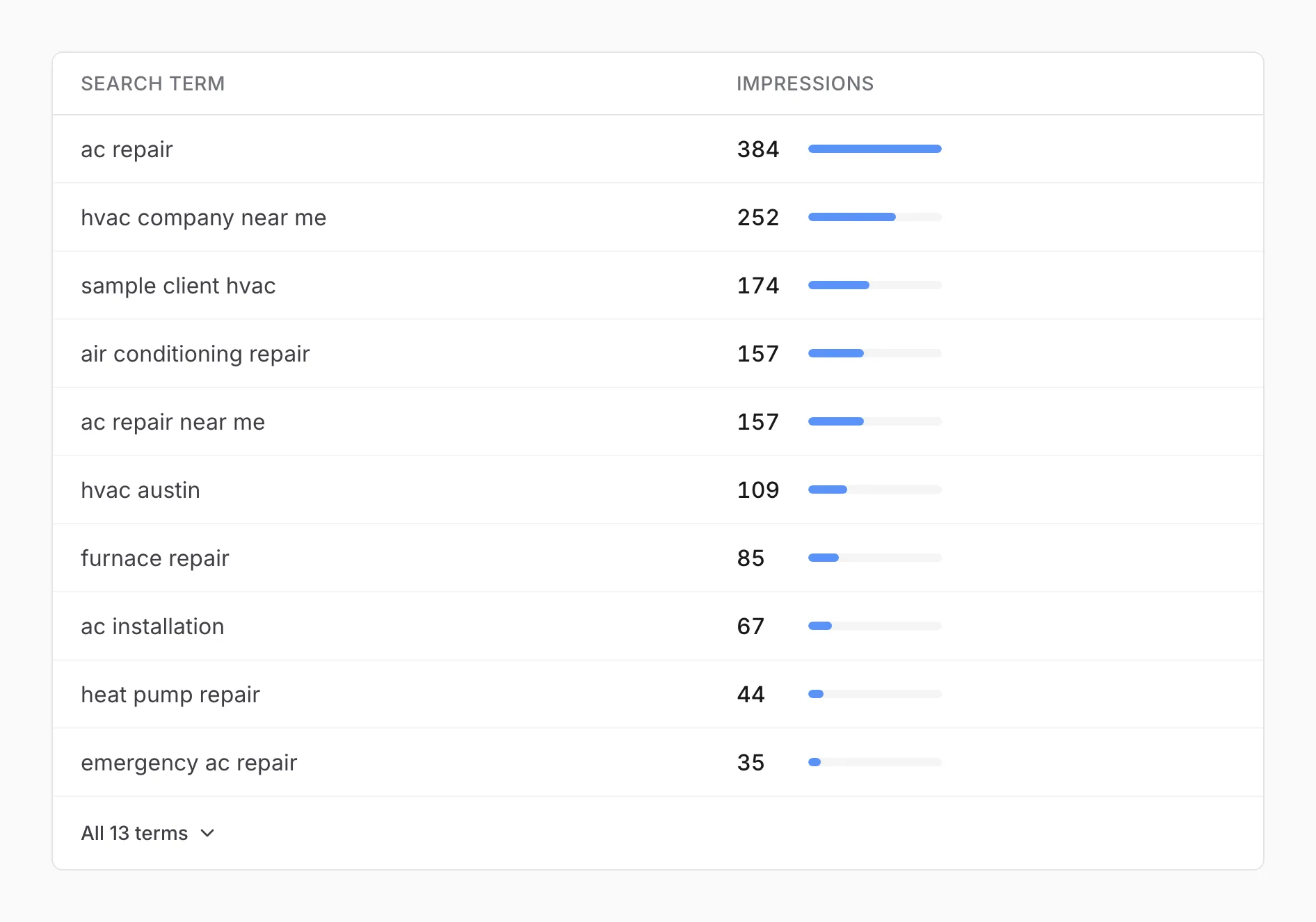
Section titled “Searches breakdown”The search terms that showed your profile, most first. It shows the top 10, and the button at the bottom opens the rest. Google hides the exact count for rare terms and shows them with a “<” in front, as an upper limit. The Searches total counts only the terms Google gives a number for.
Reviews
Section titled “Reviews”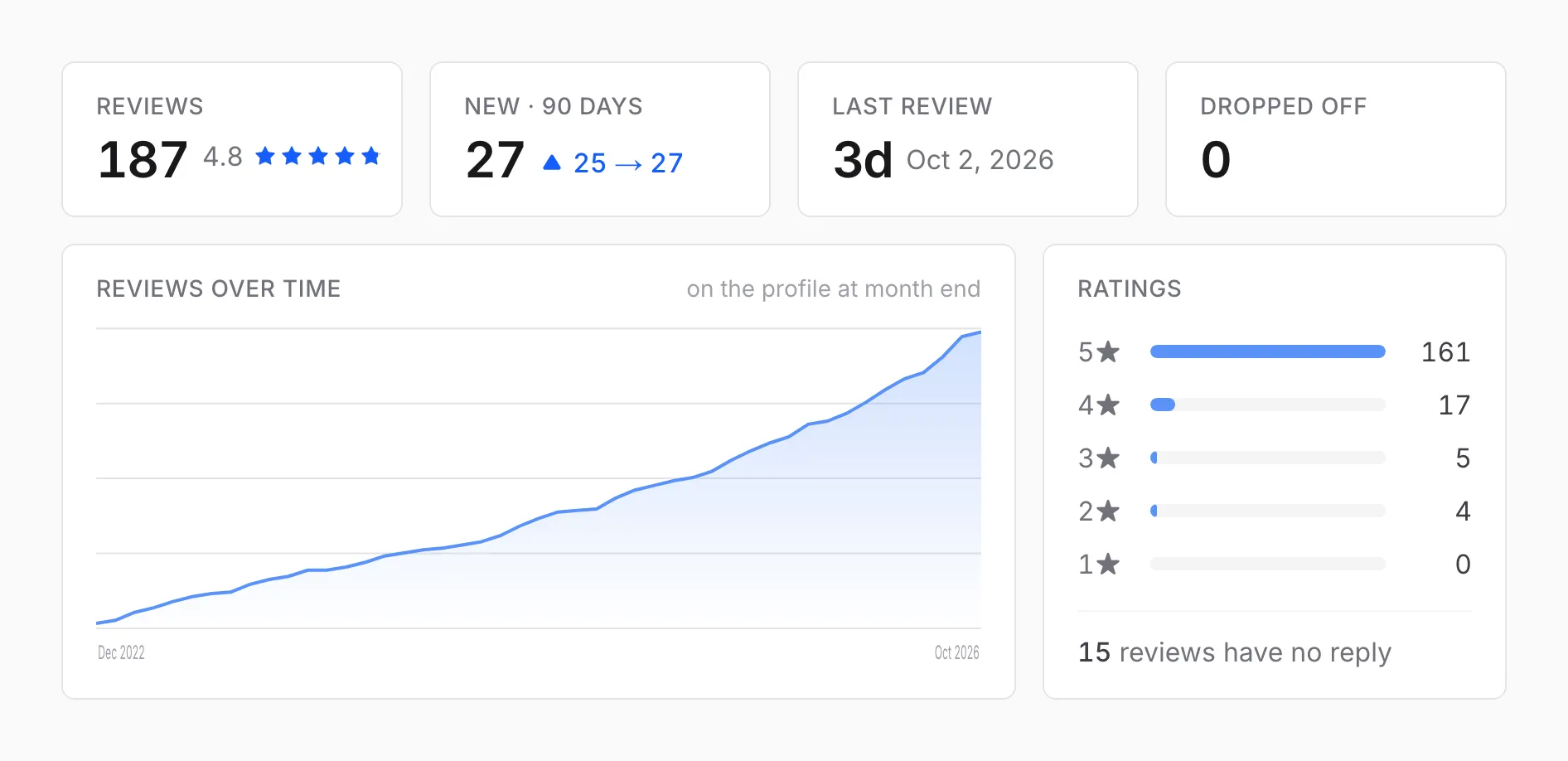
- Reviews is the number of reviews on your profile, with the average rating.
- New · 90 days counts reviews from the last 90 days against the 90 before.
- Last review is how long ago the most recent one came in.
- Dropped off counts reviews that disappeared from your profile because Google or the reviewer removed them. We keep their text, so you can see what was lost.
- Reviews over time is the count on your profile at the end of each month, and Ratings splits it by stars, with how many reviews have no reply.
Below these, every review is listed newest first, 50 to a page, marked “replied” once you’ve answered it.
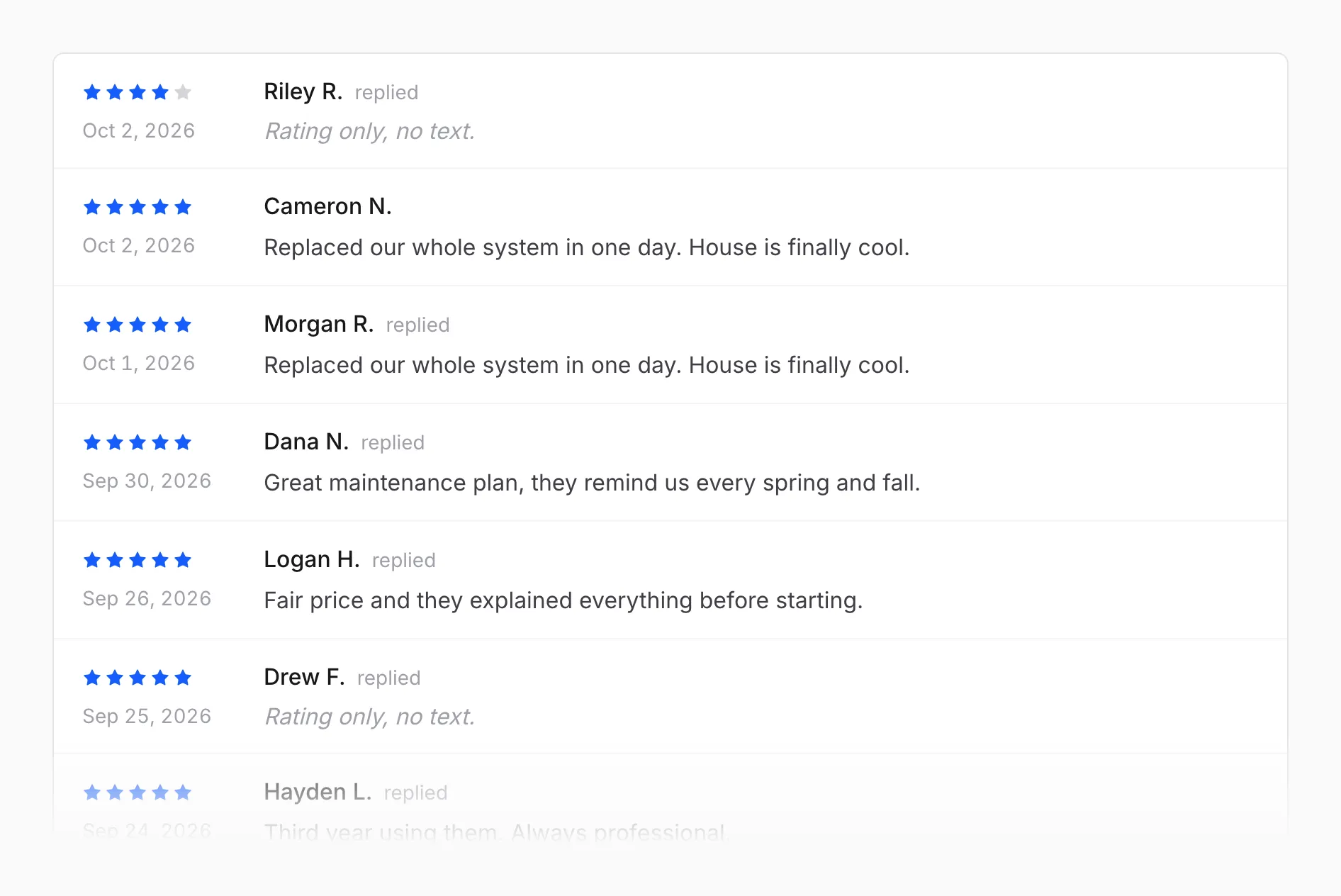
The rating next to your business name at the top comes from Google’s own total, so it can differ slightly from the Reviews tile.
Activity
Section titled “Activity”Every change on your profile, newest first: posts, hours and holiday hours, services, the business description, categories, name, address, phone, website, open or closed status, and verification. When Google changes something on your profile on its own, that shows here too.
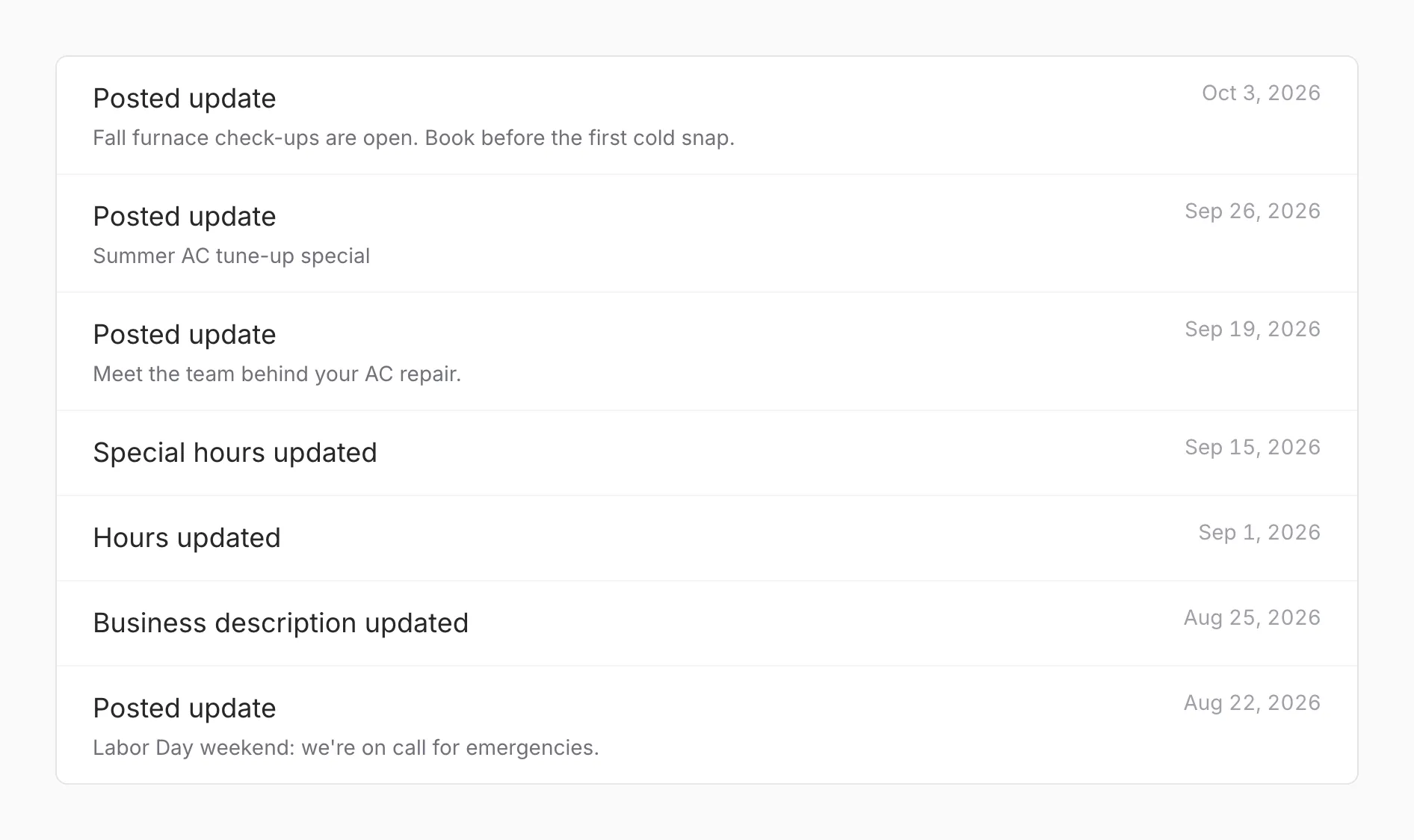
Profile
Section titled “Profile”The details your profile shows right now: primary and additional categories, phone, address, website, and the link customers use to leave a review. They come straight from Google and refresh every few minutes.
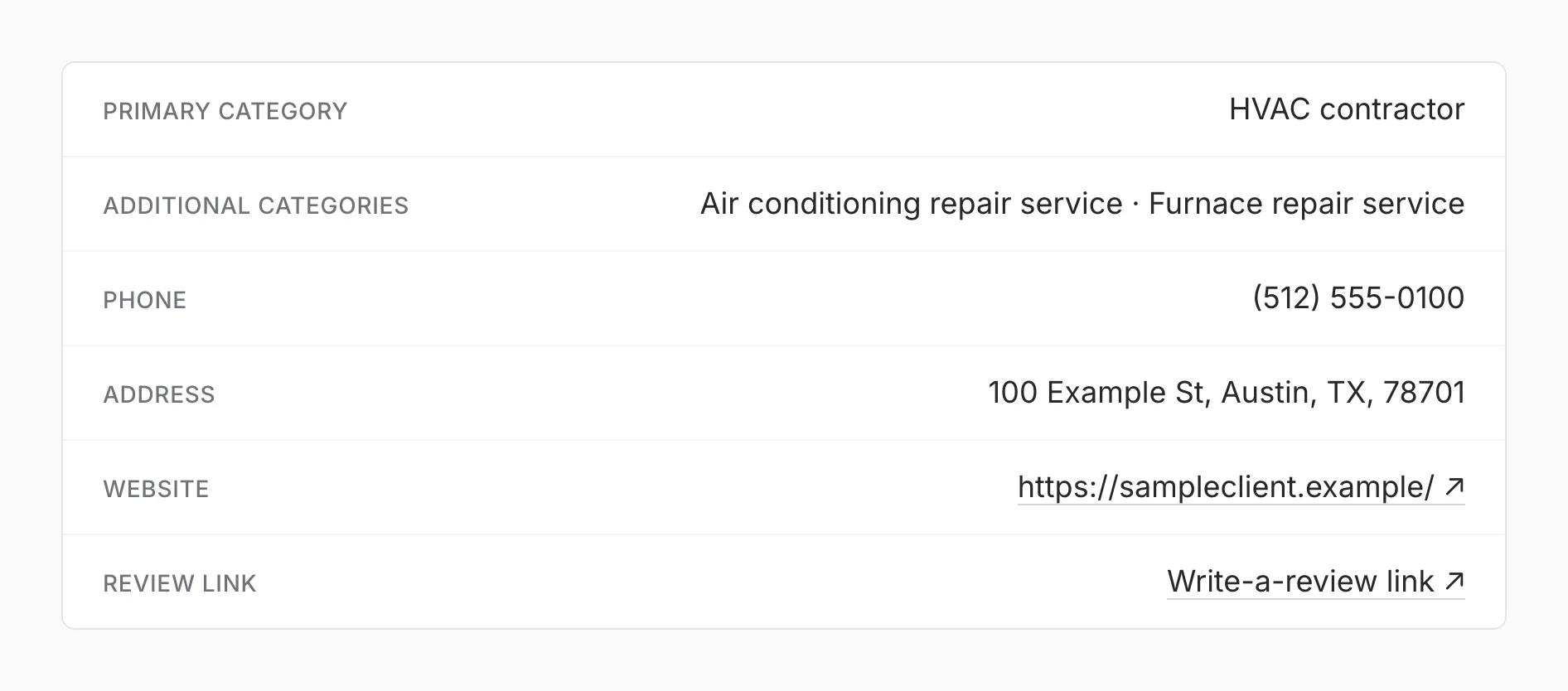
Posted
Section titled “Posted”The posts published on your profile, with their date, their button (such as Call now or Book), a link to the post on Google, the text, and the image.
When it updates
Section titled “When it updates”Performance numbers update once a day, around 11 AM Central time, and reviews around 11:30. Google reports performance about 3 days late and can revise the latest days, so recent numbers can move a little.
Why this can differ from Google’s own reports
Section titled “Why this can differ from Google’s own reports”Google’s own Business Profile reports cover the dates you pick there, while this section counts back from the latest day Google has reported. The numbers come from the same source, so over the same dates they should match.