- AI traffic comes from people who click a link in an AI answer and bots that AI companies send to fetch pages. We count human clicks and bot requests with separate tools.
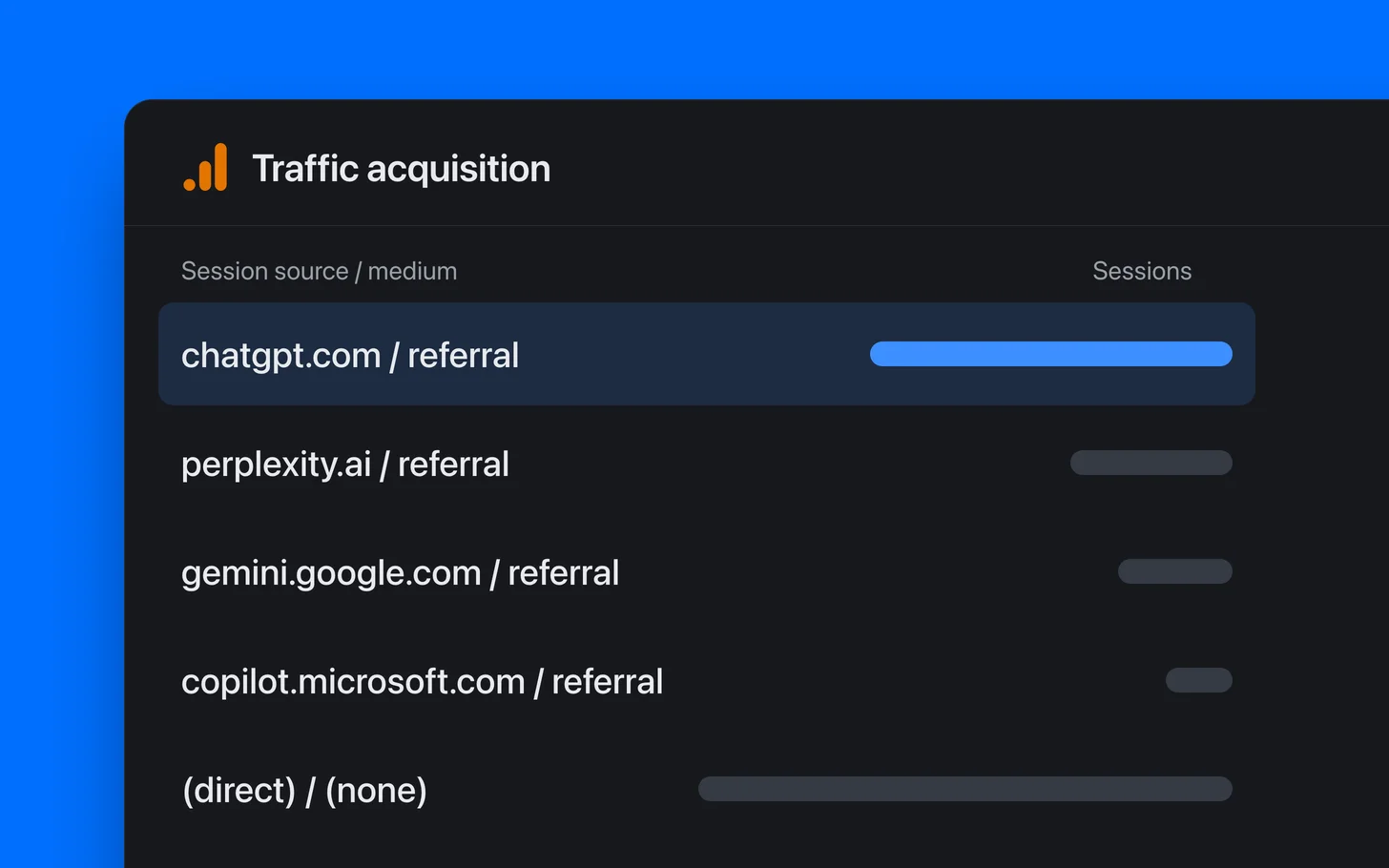
- People show up in Google Analytics 4 (GA4) through a referring site or a tag on the link. A custom channel group that matches AI domains catches more of those visits than GA4's built-in AI channel.
- Treat that human count as a minimum. Assistant apps often pass no referrer, so those visits get filed under Direct, and nothing on your side can recover them right now.
- Bot requests appear at the CDN. On Cloudflare's free plan, its analytics API shows which verified AI bots fetched which pages and keeps roughly a month of that detail.
- An AI bot's name on a request isn't enough to count it as an AI bot. Across our Cloudflare-hosted fleet, seven in ten requests using an AI bot's name were unverifiable in a four-day window in early September 2026, and roughly nine in ten over the 14 days ending Sept. 24 (lab data).
- For a local business, AI's influence may end in a phone call or form fill. We credit a lead to AI only when that lead carries its own evidence.
What counts as AI traffic?
AI traffic is every visit an AI tool sends to a site, and it comes in two streams counted in different places. When a person reads an AI answer, clicks a link and opens your site in their own browser, analytics records that click like any other visit. In the other stream, bots from AI companies fetch pages without running the analytics script. Only server logs or a CDN (a network layer many sites sit behind, like Cloudflare) can spot those requests.
A fetch and a later click are separate requests from separate machines. They have nothing in common that links them, so a heavy week of bot fetches doesn't imply a heavy week of visitors, and a click can't reveal which fetch, if any, came before it.
The verifyagents.org study measured this traffic in September 2026 across 174 Cloudflare sites in Complete SEO's fleet, mostly small or midsize US service firms. It sorts the traffic into three groups, of which only the first two can be counted today.
- Fetches: Requests from an assistant's own servers, including requests made while someone waits for an answer.
- Tagged clicks: Visits where the assistant added a tracking tag to the link. Only ChatGPT does this at any scale.
- Dark clicks: Visits from an assistant with no sign of their origin. With no referrer from the app and no tag on the link, analytics counts them as direct traffic.
Whether AI answers mention your business is measured separately from traffic by putting your customers' questions to AI tools many times over. AI visibility tracking covers that measurement. Our guide to how AI search works places it next to traffic for owners.

How do I see AI referrals in GA4?
Build a GA4 custom channel group that matches each visit's source against a list of AI domains, with GA4's native AI label as a fallback. We use this method in our client dashboard because GA4's default grouping spreads AI visits across several channels.
GA4's default channel group now has an AI Assistant channel. Google says it includes visits "from sources like ChatGPT, Gemini, Deepseek, Copilot, or Grok" and "excludes Google's AI Overviews and AI Mode." We pulled a year of GA4 data from our properties and clients' properties. On one site, chatgpt.com visits appeared under five mediums (referral, organic, (not set), local, and ai-assistant), so each channel held only a slice.
The (not set) rows fit ChatGPT's link tag. It names only the source, utm_source=chatgpt.com, and GA4 shows the blank medium and campaign as (not set).
Filtering for every domain ending in .ai counts the wrong sites. Google's example pattern for an AI channel starts with ^.*ai and catches every source ending in .ai. A filter like that swept unrelated software firms whose domains end in .ai into our data.
Set up an AI channel in GA4
You'll need Editor access or higher on the GA4 property. Go to Admin → Data display → Channel groups → Create new channel group, where GA4 starts you with a copy of the default group. Add a new channel named "AI assistants" and choose matches regex for its Source condition, using this pattern.
^(.*\.)?(chatgpt\.com|openai\.com|claude\.ai|perplexity\.ai|gemini\.google\.com|copilot\.microsoft\.com|meta\.ai|grok\.com|x\.ai|deepseek\.com|mistral\.ai)$|^perplexity$
Add a second condition joined with OR, then set Medium to exactly matches and enter ai-assistant. This still counts visits GA4 has labeled AI when they come from tools missing from the pattern. GA4 files a visit under the first channel whose rule fits, so use Reorder to move "AI assistants" above Organic Search and Referral, then save the group. To see the results, go to Reports → Acquisition → Traffic acquisition and select your new group as the primary dimension.
Custom channel groups apply retroactively, so visits from before the group existed get sorted too. A standard property allows two custom groups, and the groups also work as dimensions in Explore when you want to see AI visits by landing page. We leave Brave Search and Kagi out of our pattern because they're search engines with AI features. If you want to count them, you can add search\.brave\.com or kagi\.com.
Some AI activity never reaches GA4, whatever setup you use. Neither the referrer nor ChatGPT's tag includes the person's question or which answer pointed to you. AI Overviews and AI Mode clicks arrive from google.com like normal Google search clicks. GA4's AI Assistant channel excludes them, so GA4 can't separate those clicks from regular search.
Search Console has a generative AI report with impressions showing how often your pages appeared in AI Overviews and AI Mode. AI Overviews rarely appear on a plain local search.
The numbers are small even when the group is working. Across the 22 sites in the verifyagents study, GA4 logged 128 assistant-tagged clicks over seven days, about six per site.

How do I see AI bots in Cloudflare?
If your site is behind Cloudflare, its analytics can show which AI bots fetched which pages, with no code added to the site. Trust the count Cloudflare has verified. A CDN serves many requests from its cache, so Cloudflare can see bot hits that your own server never records.
Cloudflare checks bots against IP lists published by their operators, reverse DNS, or cryptographic signatures, then files confirmed bots into verified categories. AI Crawler covers bots that gather pages for model training, such as GPTBot and ClaudeBot. AI Search covers bots that build an assistant's search index, such as Claude-SearchBot, and AI Assistant covers fetches set off when a person asks something, such as ChatGPT-User and Claude-User. Our running list of AI crawl bots explains each of those bot names.
AI Crawl Control sits in the Cloudflare dashboard on all plans. It graphs AI crawler requests by crawler, operator, and category, shows the top requested paths, and offers a CSV export. On the free plan, it identifies crawlers by user agent, the name a visitor calls itself, so those counts include anyone borrowing an AI bot's name. Its referral views, which would show arrivals from chatgpt.com, require a paid plan.
A dev or marketer can also pull request details from Cloudflare's GraphQL Analytics API. On the free plan, it provides the verified category, user agent, and path for each request, while the referring site remains paid-only.
Cloudflare keeps this detail for roughly a month. When we tested the API on September 25, 2026, it allowed 30 days per query and returned nothing older than 31 days for both a free site and a Pro site. If you want a longer history, start saving it now. You can export a CSV from AI Crawl Control each month, or arrange a daily API pull and base your reports on the verified category it records.
Don't total bot requests by name alone. The sender writes its own user agent, and Cloudflare's API docs warn that a user-agent filter "can be spoofed." The verifyagents study reports that during four days in early September 2026, our fleet recorded 54,580 page requests bearing an AI bot name Cloudflare couldn't verify, compared with 23,749 verified requests across AI Crawler, AI Search, and AI Assistant. That left seven in ten requests bearing an AI bot name unverified.
On the day the study examined closely, most of that traffic came from a credential scanner. Individual addresses rotated through thirteen AI bot names while probing paths such as /.env, where passwords get stored. The top five addresses accounted for 42% of it.
Our lab has repeated the pull every day since, and the unverified share came out higher. Across the 14 days to September 24, there were 853,404 unverified requests using an AI bot's name and 88,657 verified requests, about nine in ten unverified (lab data). Daily unverified requests ranged from 20,225 to 118,863, while verified requests stayed between 5,745 and 6,843. Of the 133 sites that saw either kind, 128 received more unverified requests than verified ones.

The study found a Gemini page fetch from real Google infrastructure. It used a bot name Google doesn't document and an IP absent from all five of Google's published lists. Unverified doesn't mean fake. Cloudflare's check would reject that real fetch.
Cloudflare stopped treating Perplexity's bots as verified in August 2025 after catching Perplexity crawling under undeclared names. Across three weeks of our lab data, zero requests naming a Perplexity bot were verified on any of our sites. The verified count sets a floor under real AI bot activity, and it's the only bot number we'd report.
Person-triggered fetches were a small share of this traffic. During the study's four days, verified AI Assistant fetches ran from 180 to 325 a day across our fleet. In the 14 days to September 24, they ran from 141 to 310 daily (lab data).
In the 14 days to September 24, ChatGPT's fetcher led AI Assistant requests with 2,533 across 59 sites, followed by Claude's with 858 across 31. Those counts include pages and robots.txt. Roughly two in three requests (2,566 of 3,761) landed on a homepage or robots.txt, the file listing what bots may crawl. Those fetch counts show an assistant looked at the site, though they say little about which page an answer drew on.
Check that AI crawlers can read your site
In our access census, we looked at 15,834 live independent local business sites across 40 US metros, using data collected August 20, 2026. We found 23.77%, roughly one in four, unreadable to at least one of 11 AI crawlers. After adjusting the results to reflect the full sample's makeup, the figure was 27.06%. A quiet Cloudflare report can mean a block, so check your robots.txt and bot settings before drawing conclusions from low numbers.
AI visits GA4 can't see
GA4's AI referral count is a floor because many visits from AI tools arrive without anything identifying their origin, and the true number may be well above what GA4 reports. Browsers omit the referrer when an address comes from a place with no URL of its own, such as a pasted link, and the verifyagents study calls a click dark when an app drops the referrer and the link has no tag. The study cites Cloudflare's own analysis, which says "traffic referred by Claude's native app does not include a Referer: header." GA4 puts these visits in Direct, which Google defines as visits arriving "via a saved link or by entering your URL."
OpenAI states that ChatGPT "automatically includes the UTM parameter utm_source=chatgpt.com in referral URLs." In a logged-in session on September 8, 2026, we found the tag on both ChatGPT's citation links and its inline brand links. The tag travels inside the link, so it remains even if an app drops the referrer. Our Cloudflare logs show tagged arrivals with no referrer, the footprint an app click leaves.
Some apps also put their names in the user agent. Our logs caught Claude's Windows desktop app loading pages as Claude/1.46388.2 ... MSIX, and over three weeks we saw assistant apps identify themselves this way across 9 of our sites in 92 page requests (lab data). GA4 ignores the user agent when assigning a source, so an app visit like that still goes to Direct if it has no referrer. The app name is visible only to your server or CDN.
We tried two ways to recover dark clicks from the site side, and both failed. The first looked at timing across 22 sites and 128 tagged AI clicks. Of those clicks, 15% arrived within two minutes after a verified assistant fetch on the same site, compared with 4% of ordinary Google search clicks. That was a real signal, with a likelihood ratio of about 3.6, but it was too weak to label any individual visit.
For the second attempt, we built a model using 60 days of visits from 54 sites to separate AI clicks from search clicks. It scored an AUC of 0.65, where 0.5 is a coin flip and 1.0 is perfect, and 0.615 on cleaned data. We couldn't even use it to estimate the total number of dark clicks.
Watching Direct for an increase doesn't work either. Across 56 sites, ours and our clients', we recorded 568,717 direct sessions over 60 days, and 97% failed a basic filter for a real US visitor. Across 22 sites, Direct visits were no likelier than organic search visits to arrive within five minutes of an assistant fetch, at 7.0% versus 7.3% (lab data). The study concludes that the data needed to attribute a visit to an assistant exists on the assistant's side when it shows the link, and nowhere afterward.
How we count AI leads and calls
We credit a lead to AI only when the lead itself carries evidence, such as an AI-tool referrer or ChatGPT's tag, and we use the same rules for AI visits and AI conversions. Those rules produce the AI traffic numbers clients receive in reports from our AI search work for local businesses.
As in the GA4 setup, our dashboard takes the raw GA4 source/medium for each day, checks the source against a short list of AI domains, and keeps GA4's ai-assistant medium as a fallback. An AI conversion must be one of the client's own conversion events, checked against the same list used for every conversion in the dashboard, so the AI count can't exceed the client's total. Before you trust an AI conversion rate in GA4, check the property's key events too, since some properties count button clicks or even page views as key events. We never count bot fetches as visits in our reports because, in our experience, crawler visit counts seldom changed what an owner did.
Published claims that AI visitors convert better need the same scrutiny. Orbit Media's study covered 97 B2B lead-generation sites and identified AI visits when a visit's source matched an AI domain or its medium was GA4's AI Assistant, so it captured only visits that kept a referrer or tag. The study also notes that AI app visits can appear as Direct. Because the sample is B2B, we don't apply its conversion rates to local businesses.
Every lead in our dashboard has a source, and if that lead's visit originated from an AI tool, we record an AI source for it too. When someone learns about you in ChatGPT and dials your listing's number, the call has no referrer. Nothing links that call back to the ChatGPT answer. Calls arriving through call tracking keep whatever source the call-tracking tool logged, and currently no call receives an AI source in our dashboard.